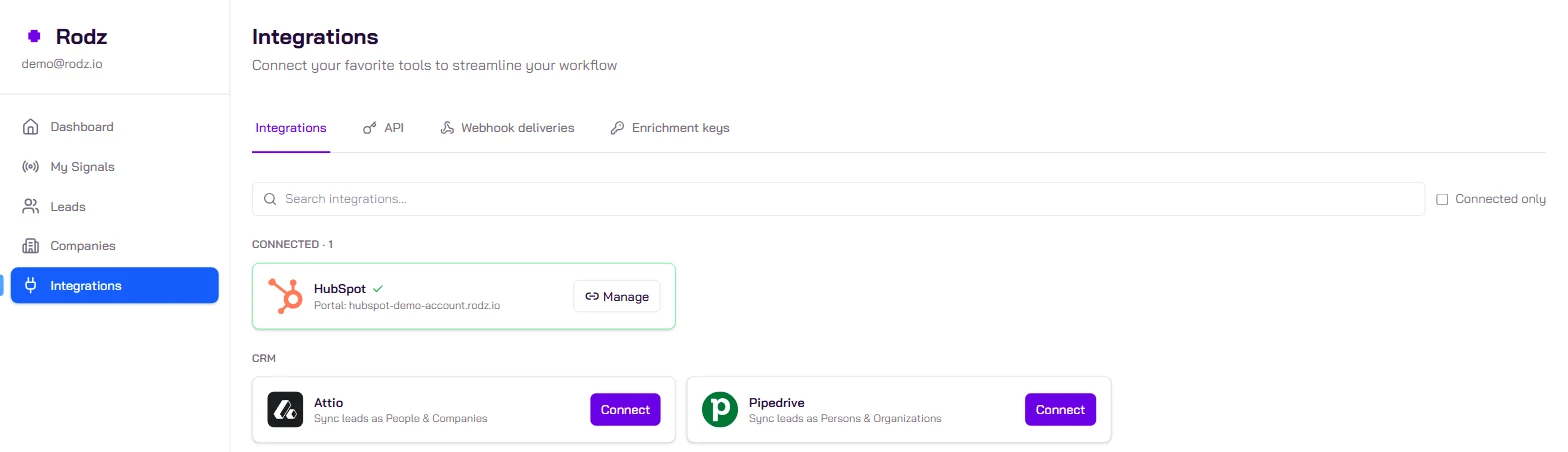
Create a Job Offers signal in Rodz with the job titles that reveal a need, the job location and the company size, then switch on Pipedrive in the signal’s Integrations tab. Every company that is hiring lands in Pipedrive as an organization, with a note describing the job offer. Turn on persona targeting to get the decision-maker too. A lead costs 2 credits.
Key facts
A job offer costs 2 credits per lead, plus 0.5 credit per email found, charged on success only.
The first run looks back 7 days by default (publishedDate); after that the signal follows offers published in the last 7 days.
A company is delivered at most once a day, however many jobs it posts.
Rodz identifies 400,000+ signals a month (July to September 2026 average).
Cost : 2 credits per lead (+0.5 credit per email found) Setup time : 10 min
Before you start
A Rodz account with credits (the test account includes 100).
A Pipedrive account where you can authorize an app.
The job titles that signal a need for your offer (for example "Account Executive" if you sell a tool to sales teams).
Steps
Step 1.
Connect Pipedrive to Rodz
In the Rodz dashboard, open Integrations and click Pipedrive. Allow access in the Pipedrive window. You connect once for the account; the API cannot connect Pipedrive (PUT /api/v1/integrations/pipedrive answers USE_DASHBOARD_OAUTH).
Step 2.
Create the Job Offers signal
In My Signals, click Activate Signal and pick Job Offers and set:
the titles to include (jobTitleInclude) and to exclude (jobTitleExclude, for example "Intern");
description keywords when the title is not enough (jobDescriptionInclude);
the job location (locations): where the job is, not the headquarters. Empty means worldwide;
the company size. Staffing and consulting firms are excluded by default (companyIndustryExcluded).
Equivalent configuration (body of POST /api/v1/signals/job-offers)
Without persona targeting, each lead is a company: Pipedrive gets the organization and a note. With targeting (for example "Sales Director"), Rodz adds the decision-maker as a person linked to the organization. maxLeadsPerCompany sets the number of contacts per company per day.
Note: on this signal the daily limit counts companies. A limit of 20 with 2 contacts per company can deliver up to 40 leads.
Step 4.
Switch on Pipedrive for this signal
In the signal’s Integrations tab, switch on Pipedrive and save. Through the API: PATCH /api/v1/signals/{signal_id} with the pipedrive destination.
Once the signal is Active, open Pipedrive: the organizations created or updated carry a note with the job title, its link and its publication date. On the Rodz side, GET /api/v1/signals/{signal_id}/leads returns the same leads.
Example payload
What Rodz delivers for one job offer (webhook format, also returned by `GET /api/v1/signals/{signal_id}/leads`). `contact` is `""` without persona targeting.
The person is linked to the organization. Without persona targeting, only the organization and its note are created.
A job offer is a budget
A company hiring for a function is investing in that function. If you sell to sales teams, an Account Executive opening announces a need for tooling and onboarding; if you sell recruiting, it is the demand itself. In Pipedrive, filter the organizations Rodz created and turn the ones that fit your ICP into deals.
No organization: check that Pipedrive is switched on in the signal’s Integrations tab and that the signal is Active.
Too many off-target companies: tighten the titles, add exclusions or description keywords, narrow locations.
Organizations without a person: persona targeting is off, or no decision-maker matches. Turn on companyOnlyWhenContactsRefused to keep the company even when your filters removed every contact.
Frequently asked questions
Does Rodz create a Pipedrive deal or lead?
No. Rodz creates or updates the organization, the person when a decision-maker is delivered, and adds a note with the job offer context. Creating deals stays in your hands, for example with a Pipedrive automation.
Does a company posting ten jobs create ten leads?
No. A company is delivered at most once a day, however many jobs it posts. The next day, a new job can deliver it again depending on the signal’s duplicate handling.
Why are staffing firms excluded?
They post jobs for their clients: the company hiring is not the one posting. companyIndustryExcluded excludes "Staffing and Recruiting" and "Business Consulting and Services" by default. You can change that list.
How do I target a need rather than a job?
Combine the title and the description. A payroll software company will look for "Payroll Manager" offers; a data tool, for offers whose description names a specific tool (jobDescriptionInclude).
Can I get older job offers?
Yes, on the first run only: publishedDate (for example 30d or 3m) sets how far back the first search goes. After that the signal follows offers from the last 7 days.