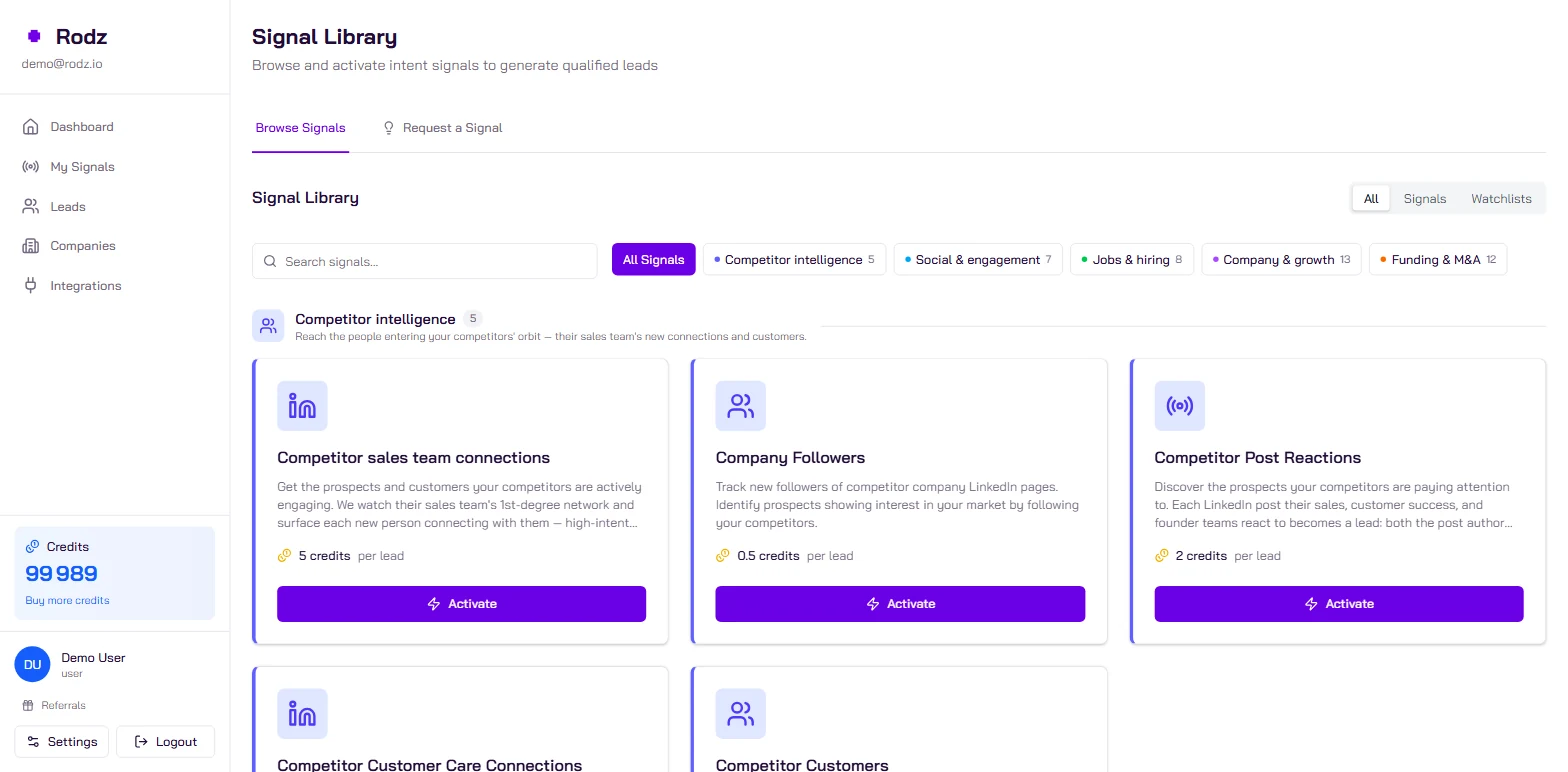
Create a Competitor sales team connections signal in Rodz with your competitors’ LinkedIn pages, filter it on your personas and ICP, then pick a lemlist campaign in the signal’s Integrations tab. Every new connection that matches your filters is added to the campaign, with the competitor and the watched person as variables. A lead costs 5 credits, plus 0.5 credit per email found.
Key facts
A competitor connection costs 5 credits per lead, plus 0.5 credit per email found (getEmails), charged on success only.
Only new connections are delivered: connections that already exist when the signal starts are not.
A watched person produces leads only once they have accepted the connection request, which can take several days.
Rodz identifies 400,000+ signals a month (July to September 2026 average).
Cost : 5 credits per lead (+0.5 credit per email found) Setup time : 15 min
Before you start
A Rodz account with credits (the test account includes 100).
A lemlist account and its API key (Settings → Integrations in lemlist).
A lemlist campaign with at least one step: Rodz refuses to feed an empty campaign.
The LinkedIn company page URLs of your competitors (https://www.linkedin.com/company/... format).
Steps
Step 1.
Connect lemlist to Rodz
In the Rodz dashboard, open Integrations, choose lemlist and paste your lemlist API key. The key is checked before it is saved, then encrypted.
Through the API, it is a PUT /api/v1/integrations/lemlist with apiKey.
Step 2.
Create the Competitor sales team connections signal
In My Signals, click Activate Signal and pick the Competitor sales team connections signal and paste your competitors’ LinkedIn company pages (linkedinCompanyUrls), not personal profiles. Rodz finds the people on their sales and business teams and follows their new connections.
If you already know who to follow (a specific rep, an executive), add their profiles to linkedinProfileUrls: each lead then tells you which watched person produced it.
Step 3.
Filter on your personas and ICP
Without filters you get every connection, recruiters and students included. Set:
the personas (targetPersonas) and custom titles (customPersonaTitles), matched by meaning and level;
the size and industry of the prospect’s company;
the locations (the person’s profile location);
excluded titles and excluded companies, for example your own customers.
Set the Daily Lead Limit in Basic Settings: it is the signal’s spending cap.
Step 4.
Pick the signal’s lemlist campaign
In the signal’s Integrations tab, switch on lemlist and choose the campaign. Through the API, list campaigns with GET /api/v1/integrations/lemlist/campaigns, then pass the chosen id as campaignId in a PATCH on the signal.
Step 5.
Write the sequence with Rodz variables, then activate
In lemlist, use the variables Rodz fills: {{firstName}}, {{companyName}}, {{title}}, {{matchedPersona}}, {{trackedCompany}} (the competitor page) and {{trackedContact}} (the watched person). Use them to route leads or pick the message angle, not to quote them to the prospect.
Then set the signal to Active. The first leads arrive once watched people have accepted the connection request and new connections appear.
Example payload
What Rodz delivers for one lead (webhook format, also returned by `GET /api/v1/signals/{signal_id}/leads`). lemlist receives the contact, the company and the signal variables.
A prospect who connects with a competitor’s reps is often evaluating a solution in your category. The sequence should talk about what you do differently, without revealing how you found them.
One campaign per competitor when your arguments differ a lot: one signal per competitor, or a lemlist condition on {{trackedCompany}}.
A short first message about the problem, with one concrete difference (a feature, a billing model, a setup time).
A LinkedIn step: the prospect is active on LinkedIn right now.
Several connections at one account: when several people from one company show up, work the account multi-threaded (one message per role).
Troubleshooting
No lead in lemlist: check that lemlist is switched on in the signal’s Integrations tab, that the campaign has at least one step and that the lemlist API key is still valid.
Several lemlist accounts connected: pick the account explicitly (integrationId in the destination); without a choice, Rodz sends nothing rather than guess.
Too many off-target leads: add personas, excluded titles (“Recruiter”, “Intern”) and your customers as excluded companies.
Frequently asked questions
Should I tell the prospect I saw them connect with a competitor?
No. Never mention the connection: it feels intrusive and backfires. Talk about the topic the connection suggests (the problem your category solves) and use {{trackedCompany}} internally to pick the right comparison angle.
Does the signal deliver competitors’ past connections?
No, only new connections detected after the signal starts. Recent intent is what matters.
Why no lead after several days?
A watched person produces leads only once they have accepted the connection request, which can take days; someone who never accepts produces none. Also check your filters with the signal’s funnel (GET /api/v1/signals/{signal_id}/funnel).
What happens when the lead has no email?
Rodz adds the lead to the campaign with its LinkedIn URL: the sequence’s LinkedIn steps work, the email steps do not. Tick Get emails (0.5 credit per email found) to cover both.
Can one signal follow several competitors?
Yes: linkedinCompanyUrls takes several pages. signal.tracked_company (and {{trackedCompany}} in lemlist) tells you which competitor produced each lead, so you send the right comparison.