Create a Job Offers signal in Rodz with the job titles that reveal a need, then switch on HubSpot in the signal’s Integrations tab. Every company that is hiring lands in HubSpot with a “Job Offer Detected” note: title, location, date, description and link. Persona targeting adds the decision-maker. A company costs 2 credits at most once a day, plus 1 credit per targeted contact.
Key facts
A job offer costs 2 credits per lead, plus 0.5 credit per email found, charged on success only.
The first run looks back 7 days by default (publishedDate); after that the signal follows offers published in the last 7 days.
A company is delivered at most once a day, however many jobs it posts.
Without a contact, the offer note is placed on the HubSpot company record; with a contact, on the contact record.
Cost : 2 credits per lead (+0.5 credit per email found) Setup time : 10 min
A HubSpot account where you can install an app (admin rights).
The job titles that signal a need for your offer (for example "Account Executive" if you sell a tool to sales teams).
Steps
Step 1.
Connect HubSpot to Rodz
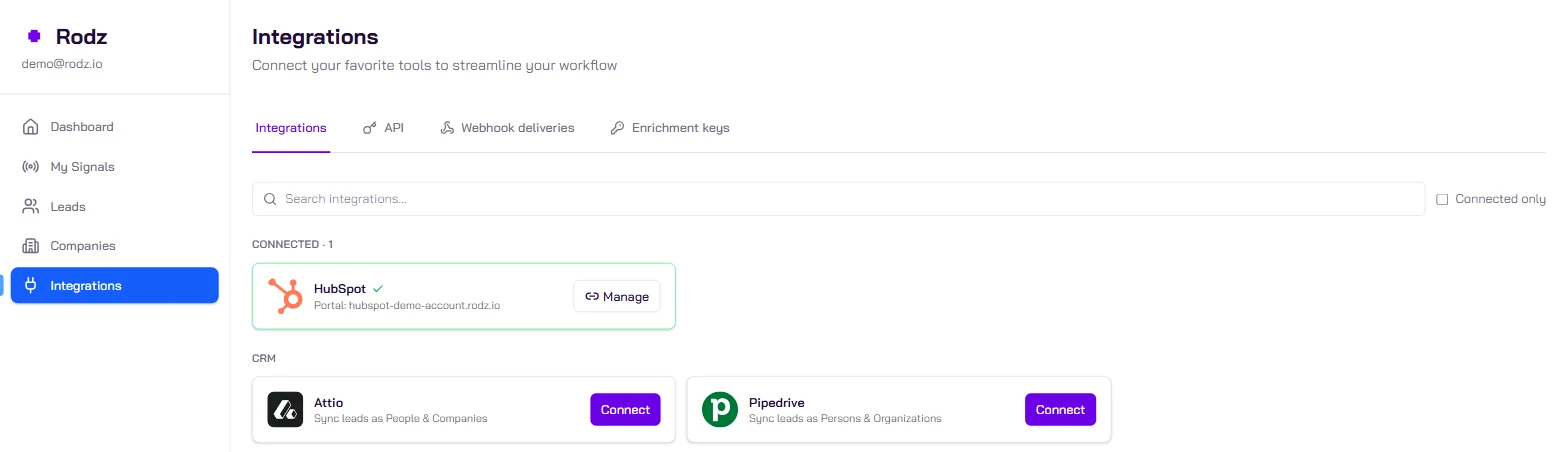
In the Rodz dashboard, open Integrations and click HubSpot. Allow access to the portal in the HubSpot window. The connection covers the whole account; you then choose which signals use it. Rodz creates its own properties (last_signal, last_signal_date...).
Step 2.
Create the Job Offers signal
In My Signals, click Activate Signal and pick Job Offers, then set:
the titles to include (jobTitleInclude) and to exclude (jobTitleExclude, for example "Intern");
description keywords when the title is not enough (jobDescriptionInclude);
the job location (locations): where the job is, not the headquarters. Empty means worldwide;
the company size. Staffing and consulting firms are excluded by default (companyIndustryExcluded).
None of these fields is mandatory to activate a Job Offers signal: with no location, the search is worldwide. For other signal types, activation refuses a signal with an empty mandatory field (for example the job titles for Job Changes) with a 400MISSING_REQUIRED_FIELDS error that lists missing_fields.
Equivalent configuration (body of POST /api/v1/signals/job-offers)
Without persona targeting, each lead is a company: HubSpot gets the company and the job offer note. With targeting (for example "Sales Director"), Rodz adds the decision-maker as a contact associated with the company; the note is then placed on the contact. maxLeadsPerCompany sets the number of contacts per company per day.
Note: on this signal the daily limit counts companies. A limit of 20 with 2 contacts per company can deliver up to 40 leads.
Step 4.
Switch on HubSpot for this signal
In the signal’s Integrations tab, switch on HubSpot and save. Through the API: PATCH /api/v1/signals/{signal_id} with {"destinations": {"hubspot": {"enabled": true}}}.
Set the signal to Active. In HubSpot, filter companies on Last Signal: each record carries a “Job Offer Detected” note with the offer’s title, location, publication date (Published), description and link (URL). On the Rodz side, GET /api/v1/signals/{signal_id}/leads returns the same leads.
Example payload
What Rodz delivers for one job offer (webhook format, also returned by `GET /api/v1/signals/{signal_id}/leads`). `contact` is `""` without persona targeting. The `signal` fields are those of a job offer: `job_offer_url`, `job_offer_title`, `job_offer_location`, `job_offer_description`, `job_offer_published_date`.
A company that hires for a function is investing in that function. If you sell to sales teams, an Account Executive hire signals a need for tooling and onboarding; if you sell recruiting, it is the demand itself. In HubSpot, an active list on last_signal and a workflow that assigns the company to the right rep are enough to let nothing slip.
Troubleshooting
No company : check that HubSpot is switched on in the signal’s Integrations tab and that the signal is Active.
Too many off-target companies: tighten the titles, add exclusions or description keywords, restrict locations.
Companies without a contact: persona targeting is off, or no decision-maker matches. To receive only leads with a contact, turn on requireContact.
Frequently asked questions
Where is the offer in HubSpot?
In a “Job Offer Detected” note: title, location, publication date, description and link. Without a contact the note is on the company record; with a contact it is on the contact’s record. The last_signal and last_signal_date properties let you filter and build a list.
How does Rodz find a company or contact that is already in HubSpot?
Before creating, Rodz looks for an existing record. Company: by domain (each one it knows for the company), then by LinkedIn page, then by the domain of the contact’s email (kept only if the company name matches), then by name. Contact: by email, then phone, then LinkedIn profile, then first and last name with the company (name, website or LinkedIn page). A missing piece, such as a lead with no email or no domain, simply moves on to the next search. If nothing matches, Rodz creates the record.
Where do I set Rodz’s duplicate handling?
In the signal’s Basic settings tab, Duplicate lead handling section, which matches the API’s duplicateHandling field: “Never accept duplicates” (refuse, each company is processed only once), “Accept after period” (a number of days, for example 30d) or “Always accept duplicates” (allow, no deduplication, the default). This setting decides whether Rodz delivers a company to you again; it is separate from the lookup of an existing HubSpot record, described above.
Does a company that posts ten jobs create ten leads?
No. A company is delivered at most once a day, however many jobs it posts. The next day a new job can deliver it again, depending on the signal’s duplicate handling.
Can I store the offer title or link in a property rather than a note?
The dashboard HubSpot integration writes a note. To fill a property (signal.job_offer_title, signal.job_offer_url), receive the leads by webhook or read them with GET /api/v1/signals/{signal_id}/leads, then write the property with your own automation.
Why are staffing firms excluded?
They post jobs for their clients: the company that is hiring is not the one posting. companyIndustryExcluded excludes “Staffing and Recruiting” and “Business Consulting and Services” by default. You can change that list.
Can I get older offers?
Yes, on the first run only: publishedDate (for example 30d or 3m) sets how far back the first search goes. After that the signal follows the offers of the last 7 days.
With your consent, we measure site audience (Google Analytics, Microsoft Clarity, PromptWatch), recognise your visits in our CRM (HubSpot) and measure the results of our ads on G2. Nothing is set until you choose. You can change your mind at any time with "Manage cookies" at the bottom of every page. Privacy policy.
Strictly necessary
Remember your cookie choice and protect the site.
Always on
Without cookies, we also infer from the IP address the name of the company visiting the site (never the person), on the basis of our legitimate interest. Details and how to object: Privacy policy.